
Studio
Tools and human review
Inspect registered tools, run them directly, and route guarded actions through Studio approvals or operator questions.
Studio makes tool behavior visible before and during agent runs. The Tools page lists registered tools, input schemas, output schemas, approval metadata, and direct run controls.
Run the inspection surfaces example:
pnpm cookbook:studio:09Then open:
http://localhost:4021/ui/tools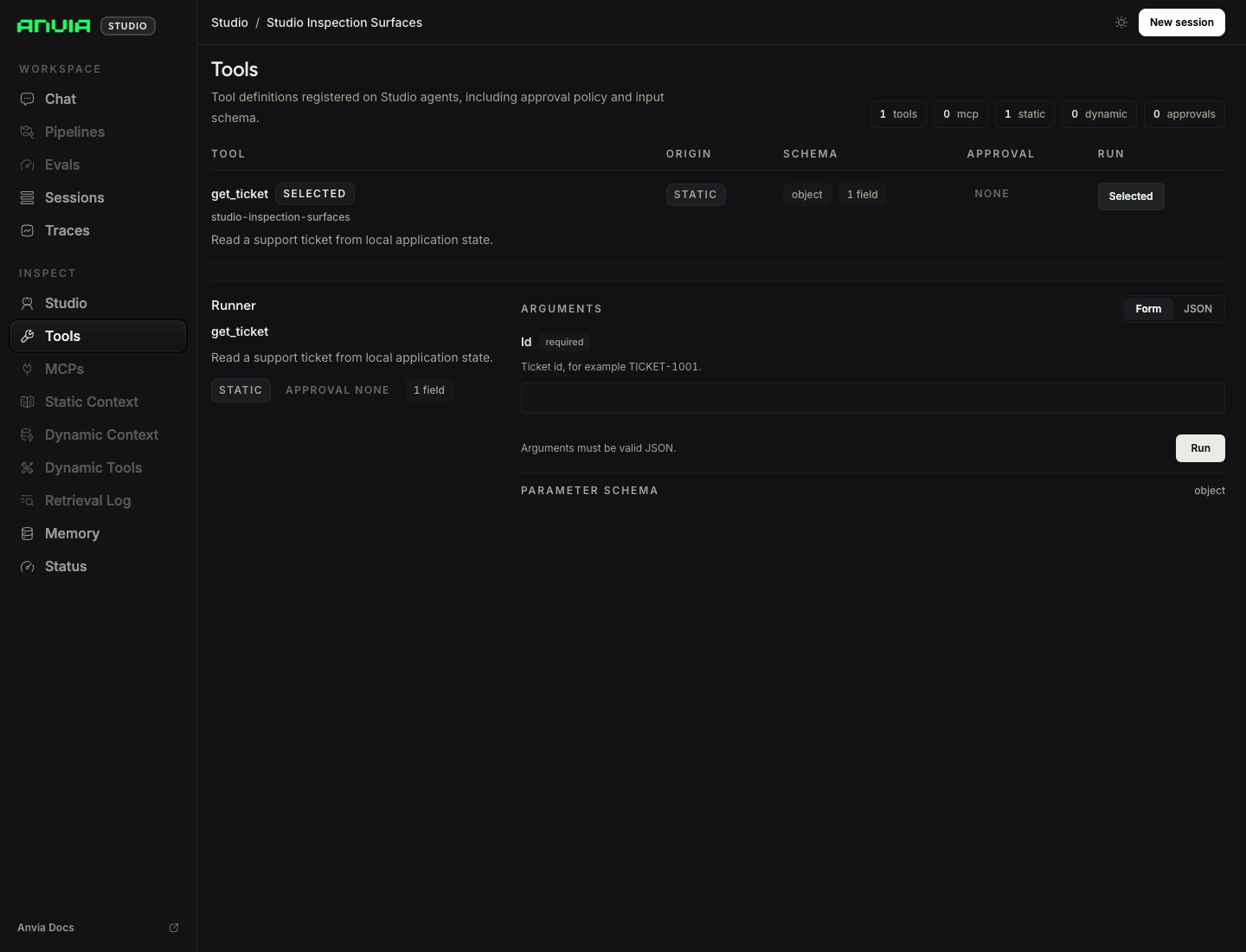
Direct Tool Runs
09-inspection-surfaces.ts registers a get_ticket tool backed by local application state. The Tools page can run that tool directly with an argument object such as:
{
  "id": "TICKET-1001"
}
Use this before debugging the model path. If the direct tool run fails, the problem is in the tool contract or application boundary, not in prompting.
Tool Approvals
Run the approval example:
pnpm cookbook:studio:03It demonstrates two approval paths:
issue_refunddeclares approval metadata on the tool itself.cancel_orderrequests approval from an agent hook.
Both paths keep the model from completing the action until the operator approves or rejects the pending request in Studio.
Operator Questions
Run the human feedback example:
pnpm cookbook:studio:04It defines an ask_question tool for missing operator input. The tool asks multiple bounded questions in one call, and Studio renders choices plus custom input before the agent continues.
Use this for values that should come from a human operator rather than from model inference: priority, escalation channel, reviewer notes, or a final confirmation value.
Sandbox Workspaces
Run the sandbox inspector example with Docker available:
pnpm cookbook:studio:15It creates an ephemeral Node.js sandbox, seeds a small preview server, attaches tools from
createSandboxTools(session) to the agent, and starts Studio. Open
http://localhost:4021/sandboxes to browse live files, inspect the published preview port, and
read managed process state and logs.
Studio discovers the session automatically from the agent tools. The application still owns its
lifecycle, so the example passes session.destroy() to the managed studio.serve(...) shutdown
hook. Studio waits for the port to bind, handles Ctrl+C or SIGTERM, and finishes sandbox cleanup
before exiting.
Related Cookbook Files
examples/cookbook/09_studio/03-tool-approval.tsexamples/cookbook/09_studio/04-ask-question.tsexamples/cookbook/09_studio/09-inspection-surfaces.tsexamples/cookbook/09_studio/15-sandbox-inspector.ts