
Studio
Studio
Run, inspect, and debug Anvia agents, tools, pipelines, evals, and local runtime state in a browser UI.
Studio is the local and internal operations surface for Anvia runtimes. It wraps the same agents and pipelines your application owns, then exposes browser pages for prompts, tools, sandbox workspaces, human review, knowledge, pipeline graphs, sessions, traces, evals, models, MCP tools, and runtime status.
Use the Studio cookbook when you want runnable examples instead of isolated API snippets:
pnpm cookbook:studio:09Then open:
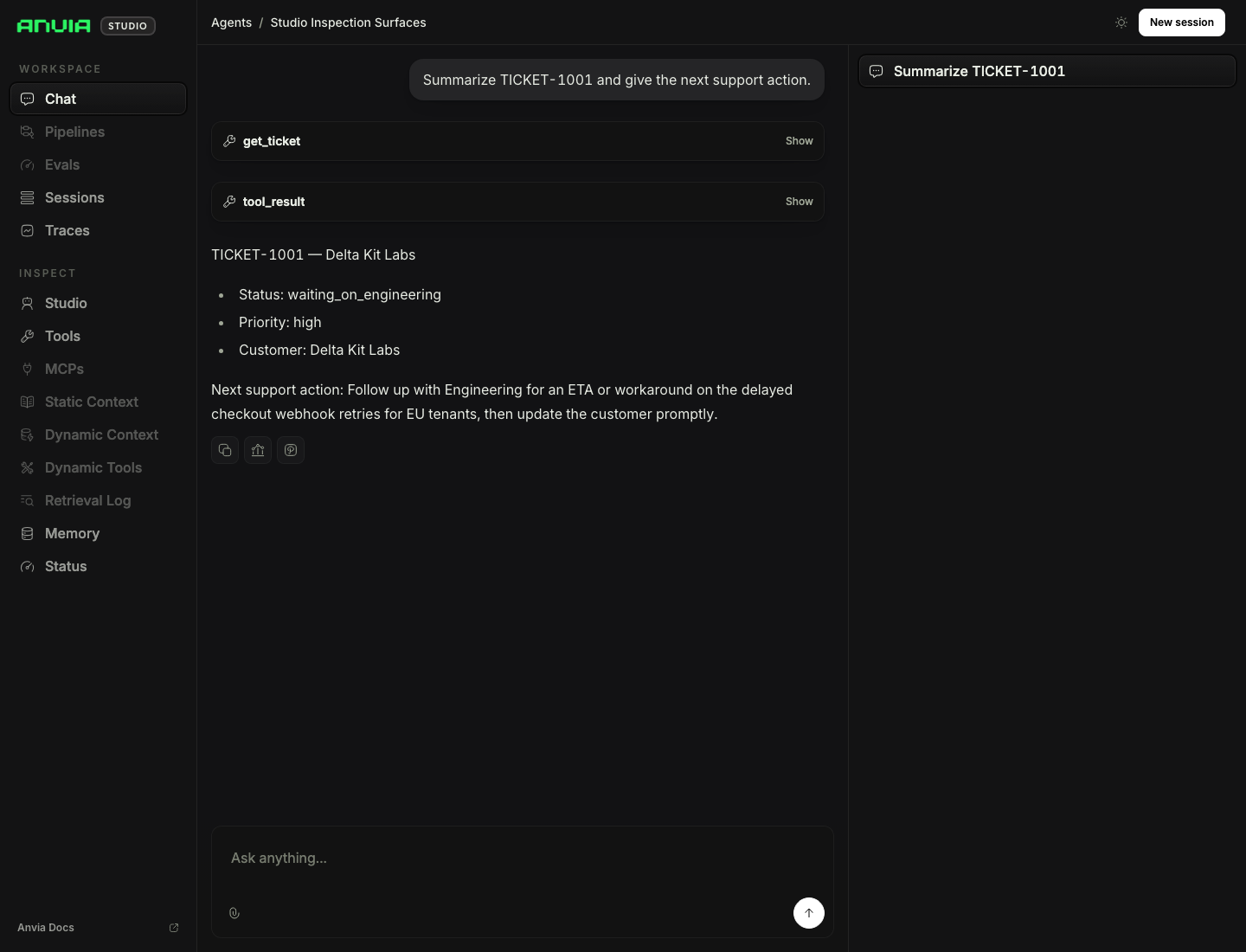
http://localhost:4021/ui/playgroundThe screenshot below was captured after sending a real Studio chat prompt through the studio-inspection-surfaces agent with the local provider credentials from .env.
What Studio Owns
Studio owns the browser UI, local HTTP routes, streaming run endpoints, session and trace stores, tool approval prompts, inspector pages, and runtime configuration display.
Your application still owns model clients, agent instructions, tools, product permissions, storage policy, authentication, deployment, and whether Studio is reachable outside local development.
Cookbook Map
| Command | Case | Feature |
|---|---|---|
pnpm cookbook:studio:01 |
Single agent | Playground setup with one tool-backed agent. |
pnpm cookbook:studio:02 |
Multiple agents | Agent switching and agent-specific quick prompts. |
pnpm cookbook:studio:03 |
Tool approval | Approval requests from tool metadata and hooks. |
pnpm cookbook:studio:04 |
Human input | Operator questions and bounded choices during a run. |
pnpm cookbook:studio:05 |
Knowledge inspector | Static context, dynamic context, dynamic tools, and evidence. |
pnpm cookbook:studio:06 |
Subagents | Agent-as-tool delegation with streamed child-agent events. |
pnpm cookbook:studio:07 |
Pipeline inspector | Pipeline graph inspection and run output. |
pnpm cookbook:studio:08 |
Multiple pipelines | Selecting and running more than one registered pipeline. |
pnpm cookbook:studio:09 |
Inspection surfaces | Tools, memory, status, sessions, and runtime inspection. |
pnpm cookbook:studio:10 |
Persistent store | SQLite-backed sessions, traces, pipeline logs, and run history. |
pnpm cookbook:studio:11 |
Evals | Running deterministic eval suites from Studio. |
pnpm cookbook:studio:12 |
UI options | Custom title, root redirect, and route aliases. |
pnpm cookbook:studio:13 |
Multi-provider models | Model/provider menu and per-agent model policy. |
pnpm cookbook:studio:14 |
MCP tools | Connected MCP server tools in Playground and MCP inspectors. |
pnpm cookbook:studio:15 |
Sandbox inspector | Live files, published ports, processes, and logs from a Docker sandbox. |