
Studio
Pipeline inspector
Register Anvia pipelines in Studio, inspect their graphs, run inputs, and compare deterministic workflow output.
Studio can run pipelines beside agents. A pipeline is ordinary TypeScript with input validation and graph metadata, so the Studio page is useful for checking workflow shape before the workflow is called from a worker, route, or job.
Run the pipeline inspector example:
pnpm cookbook:studio:07Then open:
http://localhost:4021/ui/pipelines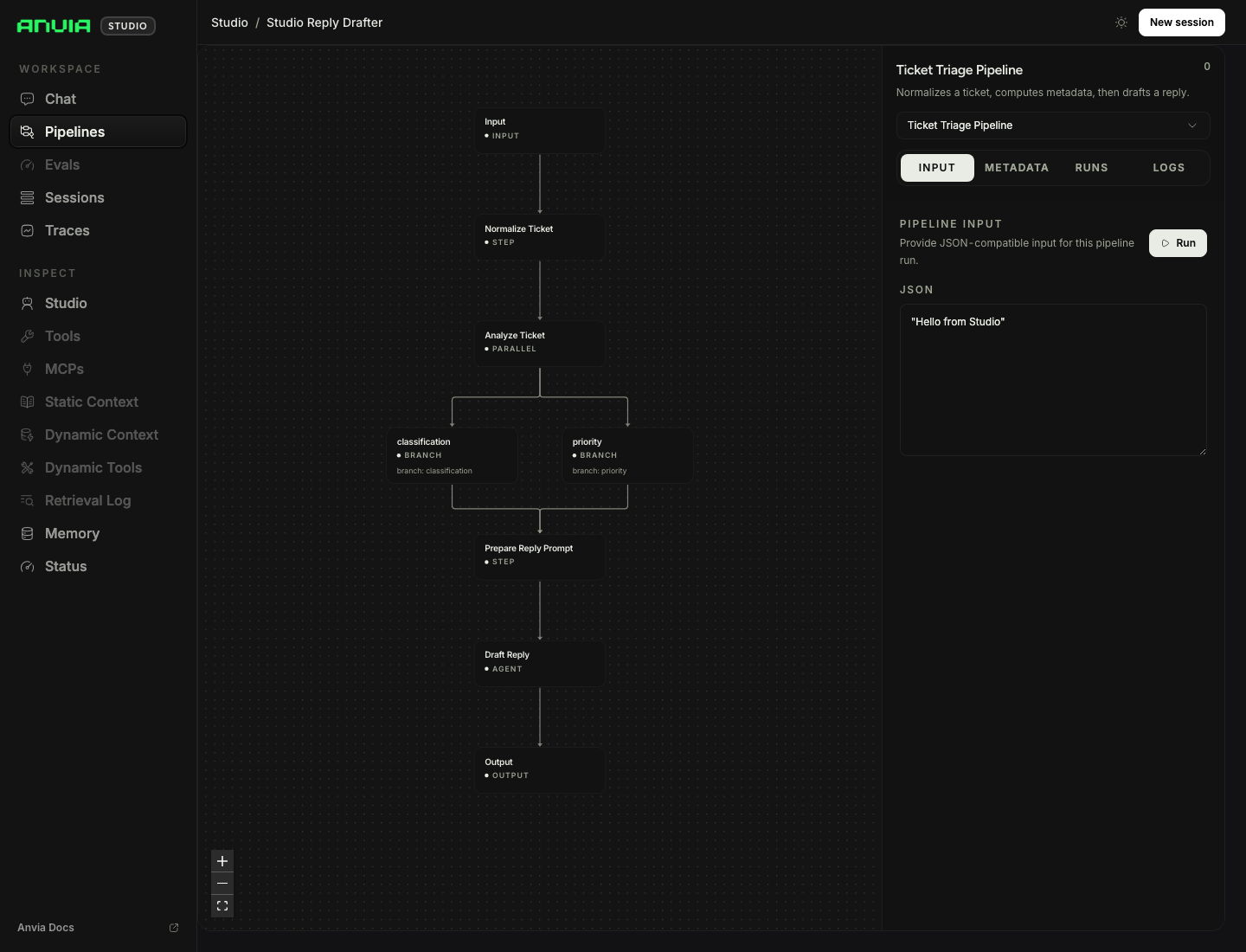
Graph Shape
07-pipeline-inspector.ts creates a ticket triage pipeline with deterministic transforms, parallel branch analysis, and an agent prompt step. Studio renders the graph from pipeline metadata so you can inspect step names, descriptions, and connections.
Use clear step names because they become the operational language for debugging runs.
Multiple Pipelines
Run the multiple pipeline example:
pnpm cookbook:studio:08It registers an order status pipeline and a ticket routing pipeline. Studio presents them as separate workflow targets with different metadata and sample inputs.
This is the right shape for internal operations where the same runtime exposes several deterministic workflows, not just chat agents.
Persistence
Pipeline logs and run history are in memory by default. Use the persistent store example when you need run history across restarts:
pnpm cookbook:studio:10That example passes the same SQLite-backed store for sessions, traces, pipeline logs, and pipeline runs.
Related Cookbook Files
examples/cookbook/09_studio/07-pipeline-inspector.tsexamples/cookbook/09_studio/08-multiple-pipelines.tsexamples/cookbook/09_studio/10-persistent-store.ts