
Studio
Playground and agents
Register one or more agents in Studio, run prompts, switch targets, and expose quick prompts for repeatable local checks.
The Playground is the fastest Studio page to validate an agent shape. It reads the registered targets from new Studio([...]), shows agent names and descriptions, and streams runs through the same Anvia request runtime that application code uses.
Real Chat Run
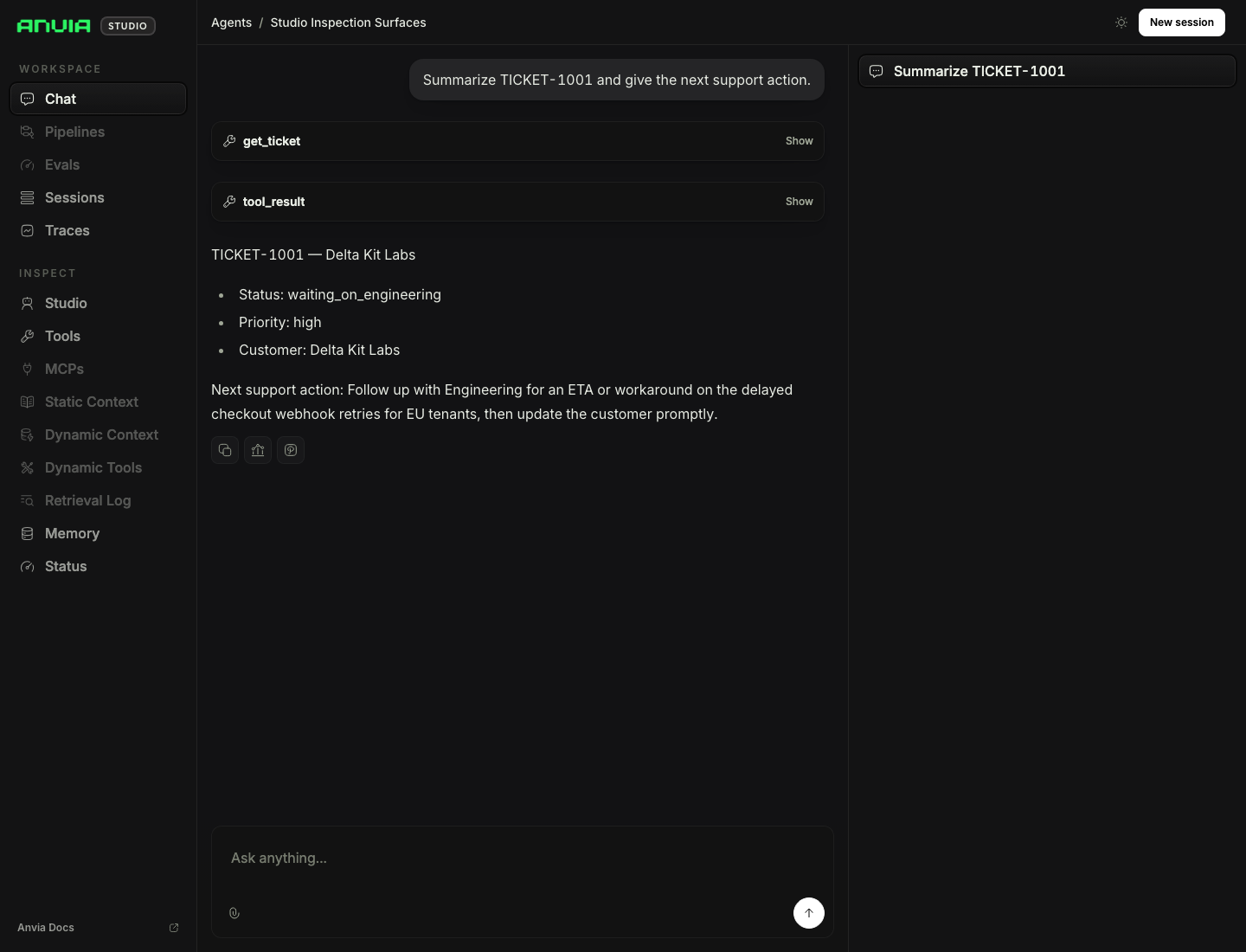
Run the inspection surfaces example:
pnpm cookbook:studio:09Then open the Playground and send:
Summarize TICKET-1001 and give the next support action.The run below used the configured LLM provider, called the local get_ticket tool, recorded the tool result, and saved the final assistant response in the Studio session.
Single Agent
Run the smallest Studio example:
pnpm cookbook:studio:01It registers a support operations agent with one local get_order tool. Use this case to confirm the agent id, display name, description, instructions, tool metadata, and default turn limit show up as expected.
Multiple Agents
Run the multi-agent example:
pnpm cookbook:studio:02It registers separate support, engineering, and communications agents. Studio keeps those agents as separate runtime targets, so local testing can switch between roles without changing code or restarting the server.
The example also configures quickPrompts per agent. Use quick prompts for common checks such as ticket summaries, runbook diagnostics, and customer updates. They are development affordances, not prompt policy.
Subagents
Run the subagent coordinator example:
pnpm cookbook:studio:06The visible Studio target is a coordinator agent. Specialist agents are exposed as tools with asTool({ stream: true }), so a run can show parent-agent output alongside delegated support, engineering, or communications work.
This pattern is useful when one operator-facing agent owns the final answer but the implementation uses specialist agents for analysis.
UI Options
Run the custom UI example:
pnpm cookbook:studio:12It sets a custom Studio title and route behavior:
new Studio([agent], {
  ui: {
    title: "Anvia Studio",
    rootRoutes: false,
    redirectRoot: true,
  },
});
Use this when embedding Studio into an internal developer workflow where the /ui/... route should be the canonical entrypoint.
Related Cookbook Files
examples/cookbook/09_studio/01-single-agent.tsexamples/cookbook/09_studio/02-multi-agent.tsexamples/cookbook/09_studio/06-subagents.tsexamples/cookbook/09_studio/12-ui-options.ts